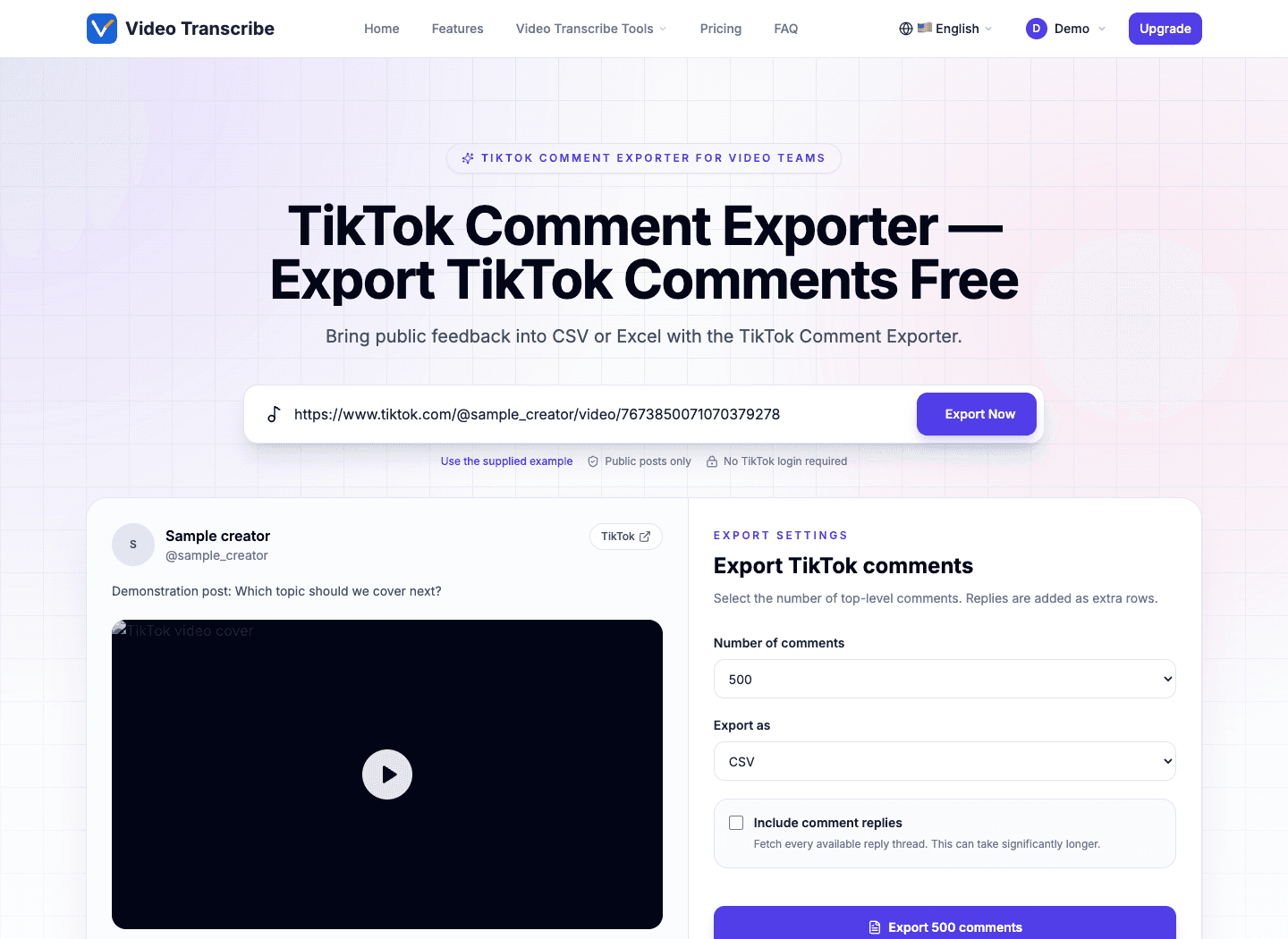
Bring public feedback into CSV or Excel with the TikTok Comment Exporter.
Use your free Video Transcribe account
No TikTok password or cookies
Video and photo-post links
CSV and Excel downloads
How it works
Plan Your Collection with the TikTok Comment Exporter
Your next video idea may already be sitting in the comments. The TikTok Comment Exporter brings those responses into a file you can read alongside a script or campaign brief. If ExportTok is part of your research, this familiar sequence starts with the public link. Open the TikTok comment viewer to check the creator and sample conversation. Choose the collection size after you recognize the post, then export TikTok comments for your editorial review.
Public TikTok link
tiktok.com/@creator/video/...
Link copied
1. Find the public post
Copy a video or photo-post link from TikTok. The TikTok Comment Exporter handles standard sharing URLs and ordinary tracking parameters, so you can work from the address your teammate sent.
Paste TikTok URL…Export Now
PreviewChooseExport
2. Check the conversation
Paste the link into the TikTok Comment Exporter and choose Export Now. Sign in to Video Transcribe if prompted. The TikTok comment viewer displays the caption, creator, engagement totals, and sample responses to help you confirm the source.
Export settings
500 comments · CSV
Download comments
3. Save your working file
Set a top-level comment limit, choose CSV or Excel, and decide whether replies belong in your review. The TikTok Comment Exporter gathers available pages and prepares the download inside your browser.
Fast, clear, flexible
TikTok Comment Exporter for Faster Team Reviews
Why it feels faster · 01
Scrolling is useful for a quick impression. A spreadsheet is better when several people need to examine the same feedback. The TikTok Comment Exporter gives your team a shared starting point without asking everyone to copy individual comments.
Why it feels faster · 02
Use the TikTok comment viewer before committing to a download. You can export TikTok comments once the visible post matches your brief. Teams familiar with ExportTok can follow the same paste, inspect, and save sequence.
Start with a shared link
A browser and a public URL are enough to begin. The TikTok Comment Exporter needs no extension, coding session, or TikTok cookie transfer.
Keep the source in sight
Read sample responses in the TikTok comment viewer while the caption and creator remain visible. That context helps prevent feedback from the wrong post entering your report.
Choose the depth of review
Save top-level responses for a broad scan or include available reply threads for context. The ExportTok-style controls let you export TikTok comments in either supported spreadsheet format.
This illustrative TikTok Comment Exporter preview uses demonstration data to show how the source and collection settings stay together.
Practical use cases
Make Audience Feedback Useful with the TikTok Comment Exporter
The TikTok Comment Exporter supplies the raw material for editorial planning and campaign review. Start in the TikTok comment viewer, then export TikTok comments when a discussion needs a closer look. ExportTok comparisons often begin with these everyday tasks.
Plan a follow-up video
Find questions viewers keep asking. The TikTok Comment Exporter preserves their wording so a writer can build the next opening around an actual audience concern.
Review a campaign response
Export TikTok comments after a launch and group reactions by product, message, or recurring objection. Keep your own labels beside the original text for a clearer client discussion.
Prepare a community handoff
Give a moderator a sortable list of questions and engaged threads. The TikTok comment viewer helps you check tone before assigning follow-up work outside the tool.
Check promotion entries
Create a list of public entries with the TikTok Comment Exporter, then apply your published contest rules separately. Comment IDs and usernames support a reviewable selection record.
Compare audience language
ExportTok users can bring the same spreadsheet habits here: collect public responses, mark phrases, and compare themes. The TikTok Comment Exporter supplies comments; interpretation remains with your team.
Build a documented sample
Export TikTok comments for permitted research and record the source and collection date. The TikTok Comment Exporter returns available public rows, which may represent only part of the conversation.
Clean, normalized data
Details the TikTok Comment Exporter Keeps Together
Export detail · 01
A useful review file needs more than copied text. The TikTok Comment Exporter organizes available identity, date, engagement, and parent-reply information into consistent columns. You can export TikTok comments and reuse the same spreadsheet layout for the next post.
Export detail · 02
The TikTok comment viewer and download use the same normalized data. Missing provider values remain empty. For teams moving from ExportTok, predictable headers make it easier to map these rows into an existing reporting template.
Export detail · 03
Use the TikTok Comment Exporter columns to sort engagement, trace reply relationships, or add your own editorial tags. Keep comment IDs intact when sharing the sheet. The TikTok Comment Exporter distinguishes a reply from its parent so a short response does not lose its conversational context.
Export formats
TikTok Comment Exporter Files for Your Team
Export TikTok comments as a compact CSV or an Excel workbook with ready-made navigation. Both downloads use the TikTok Comment Exporter field set. Check a sample in the TikTok comment viewer before saving; ExportTok users will find the format selector beside the collection limit.
CSV
The TikTok Comment Exporter writes UTF-8 text with quotation and line-break handling. Spreadsheet formula prefixes are escaped, and an Excel-friendly marker helps preserve characters when the file opens.
Excel (.xlsx)
The TikTok Comment Exporter prepares a workbook with column filters, a fixed header row, and readable widths. This is useful when reviewers need to move through a larger sheet immediately.
Designed around real work
Fit the TikTok Comment Exporter Into Production
The TikTok Comment Exporter connects a public discussion with the tools your team already uses. Export TikTok comments, inspect samples in the TikTok comment viewer, and keep the resulting file with your video brief. The ExportTok-style workflow does not request TikTok account access.
Available top-level rows
Up to 20,000
The TikTok Comment Exporter lets you request up to 20,000 top-level comments. Actual collection depends on the public rows returned by the provider.
Download choices
CSV + Excel
Export TikTok comments as CSV or Excel from one settings panel; no separate conversion step is needed.
TikTok passwords requested
Zero
The TikTok comment viewer retrieves public information through the server. You sign in to Video Transcribe, without sharing a TikTok password.
Workflow
Before scripting
Use the TikTok Comment Exporter to gather questions you can answer in a sequel, tutorial, or response clip.
Workflow
After publishing
Check the TikTok comment viewer for early reactions, then export a larger sample when your team is ready to review.
Workflow
During client review
An ExportTok-style spreadsheet lets clients filter the same source material instead of relying on a handful of selected screenshots.
Workflow
For community planning
Export TikTok comments with the TikTok Comment Exporter into an offline queue and flag threads for attention. Return to the original platform to reply or moderate.
Workflow
For research notes
Record sampling limits alongside the TikTok Comment Exporter file, including missing replies and regional differences in available comments.
Workflow
For repeat reports
Keep the URL, chosen limit, collection date, and review notes together. The TikTok Comment Exporter supplies consistent fields for that handoff.
TikTok export FAQ
TikTok Comment Exporter: Before You Start
Check access requirements, file choices, and collection limits before your first job. These answers also explain how the TikTok comment viewer fits into an ExportTok-style review process.
What does the TikTok Comment Exporter cost?
The current tool lets you inspect a public post and download comments without payment. A free Video Transcribe account is required. ExportTok users comparing workflows should check the available collection settings before starting a large export.
When does the TikTok Comment Exporter ask me to sign in?
You can enter a URL first. Before the post or sample comments load, sign in or create your free Video Transcribe account. After authentication, the saved link continues into preview so you can export TikTok comments without entering it again.
Does the TikTok comment viewer connect to my TikTok account?
No TikTok authorization is requested. The TikTok Comment Exporter uses public information supplied through its provider connection. Private, deleted, restricted, or region-blocked posts may not be retrievable even when you have a link.
Can I use a photo-post link?
Yes. The TikTok Comment Exporter accepts supported public video and photo-post URLs, including standard sharing links. Tracking parameters are normalized. As with ExportTok, a valid URL still needs an accessible public post and an available provider.
Can I export more than 500 comments?
Choose 500, 1,000, 2,000, 5,000, 10,000, 20,000, or all available within the 20,000 top-level cap. When you export TikTok comments, the result may be smaller than the requested limit because fewer public rows are available.
How do replies appear in the file?
Enable the reply option before collection. The TikTok Comment Exporter requests reply pages for the collected parent comments and adds separate rows with parent IDs. Extra requests take more time, and a separate reply safety cap applies.
Do CSV and Excel contain different data?
Both formats use the same TikTok Comment Exporter columns. CSV is convenient for imports; XLSX adds filters and a frozen header. You can export TikTok comments in the format your reviewer prefers without changing the underlying field meanings.
What happens to missing information?
Fields the provider does not supply remain blank. The TikTok Comment Exporter does not estimate usernames, dates, or engagement figures. Available comment IDs, text, author details, reply links, and post IDs remain in separate columns.
Where is the spreadsheet created?
Public data passes through the Video Transcribe server, while the download is assembled in your browser. The TikTok comment viewer never exposes the provider key. Handle exported personal information appropriately, as you would with ExportTok or another public-data service.
Why is the total lower than the number on TikTok?
Displayed totals can include comments that are no longer retrievable. Moderation, deletion, regional availability, or a stalled provider page can reduce the result. The TikTok Comment Exporter reports collection limits and partial outcomes instead of promising a complete archive.
Bring feedback into your next brief
Export TikTok Comments for Your Next Video Review
Start with a public link in the TikTok Comment Exporter. Check the source in the TikTok comment viewer, select your collection settings, and save an ExportTok-style spreadsheet your team can review together.